

Target groups: Building a group
Run ▸ Target Groups…, or the Targets panel's own add and edit buttons.
Run ▸ Target Groups…, or the Targets panel's own add and edit buttons.
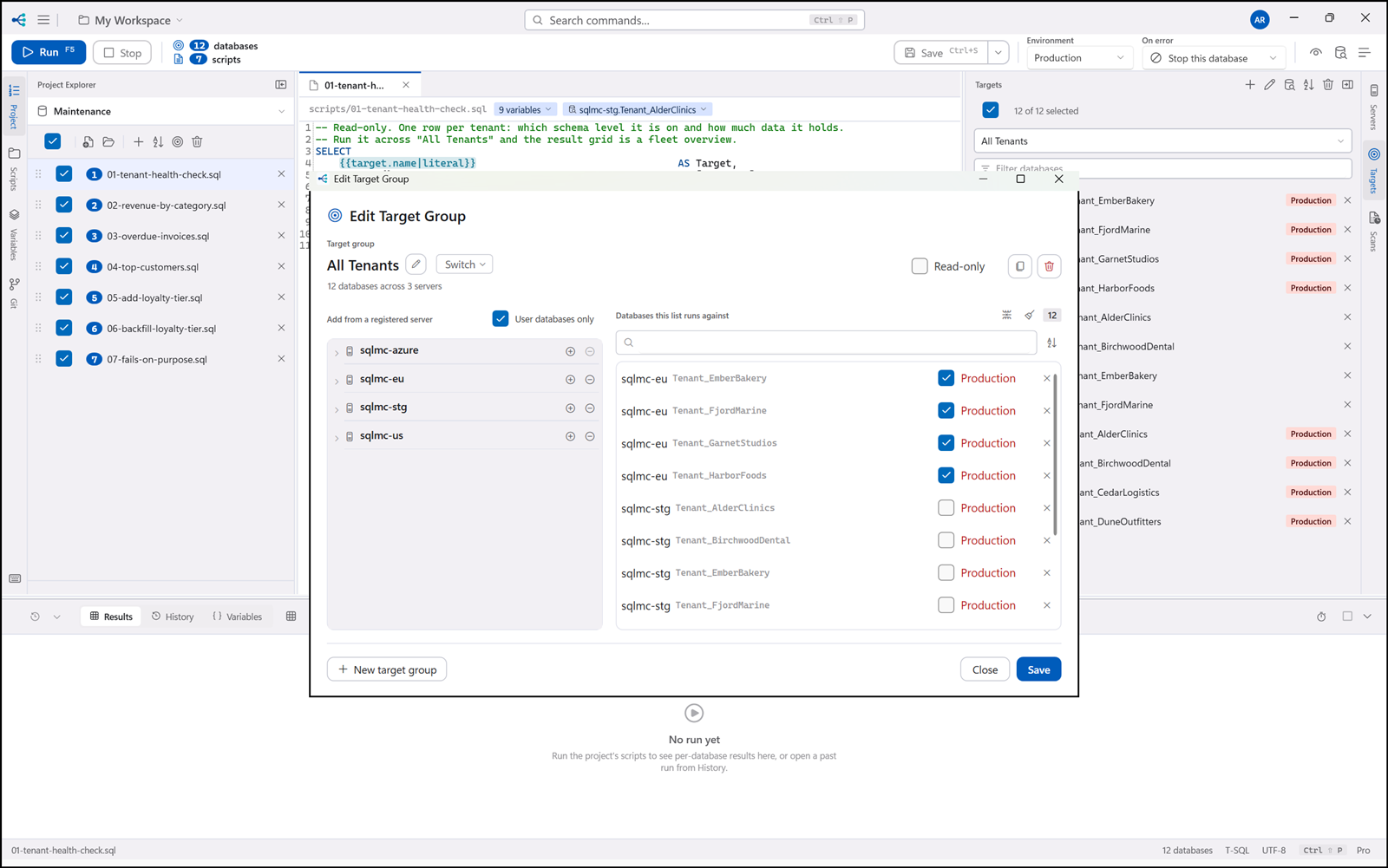
The left side is a tree of your registered servers. Expand one and the app connects and lists its databases. Click a database to add it to the group on the right.
| Control | |
|---|---|
| User databases only | Hides the databases the server itself owns — master, tempdb and the rest |
| Add all databases | Every database currently listed under the expanded server |
| Remove all | Clears the group's members |
| Filter | Narrows the member list; the remove-checked action acts on what the filter is showing |
| Sort | Orders the member list ascending or descending |
Expanding a server that is slow or unreachable does not hold a connection open after you close the dialog — every browse is scoped to the editor's lifetime.