

Variables and environments: The variable editor
Ctrl+Shift+B opens it as a tab, not a dialog, so you can keep a script visible beside it.
Ctrl+Shift+B opens it as a tab, not a dialog, so you can keep a script visible beside it.
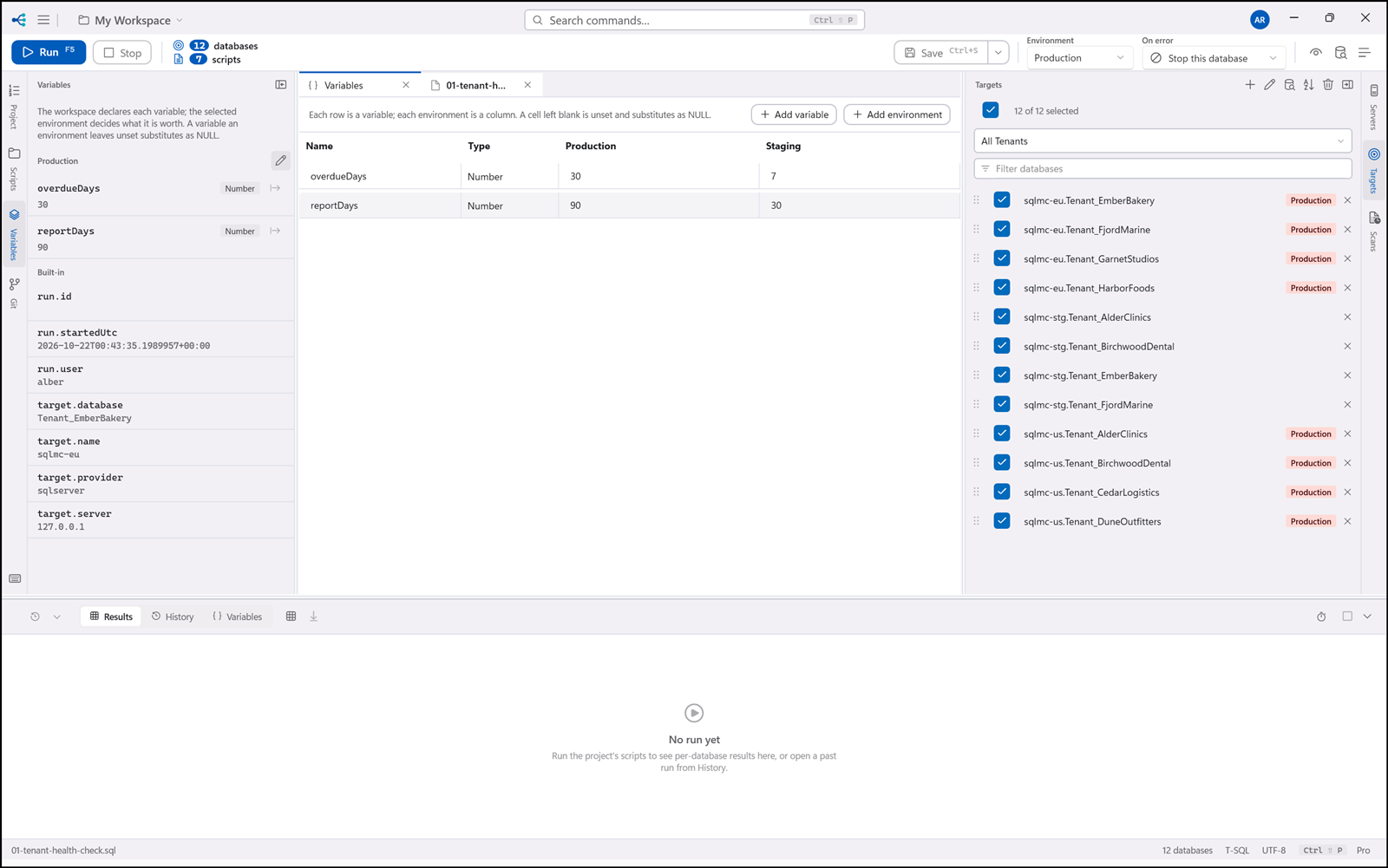
Rows are variables; columns are environments. Add a variable, add an environment, fill cells. You need at least one environment before a variable can be declared — there would be nowhere to value it.
A blank cell is unset, and substitutes as NULL. An empty string is a value somebody chose. The
two are kept apart on purpose, because that distinction matters exactly when it is easiest to miss:
SELECT * FROM dbo.Orders WHERE RegionCode = {{region}};
With region unset, that becomes WHERE RegionCode = NULL, which matches nothing — quietly, with no
error. Leaving one variable unset on one environment once, on purpose, is worth doing to see it
happen.