

How to combine and export query results from every database
See one grid across all databases with a source column, then export it to CSV or a single Excel workbook.
Published
"How many orders does each tenant have?" is a one-line query and a forty-database chore. Run it once and read the answer as one table.
Run the query
SELECT COUNT(*) AS Orders, MAX(OrderDate) AS LastOrder
FROM dbo.OrderHeader;
Select the group and press F5.
Read it as one grid
Results are grouped by script, with a row per database. Choose All Servers for the combined view: one grid across every target that ran the script, with a source column naming the database each row came from.
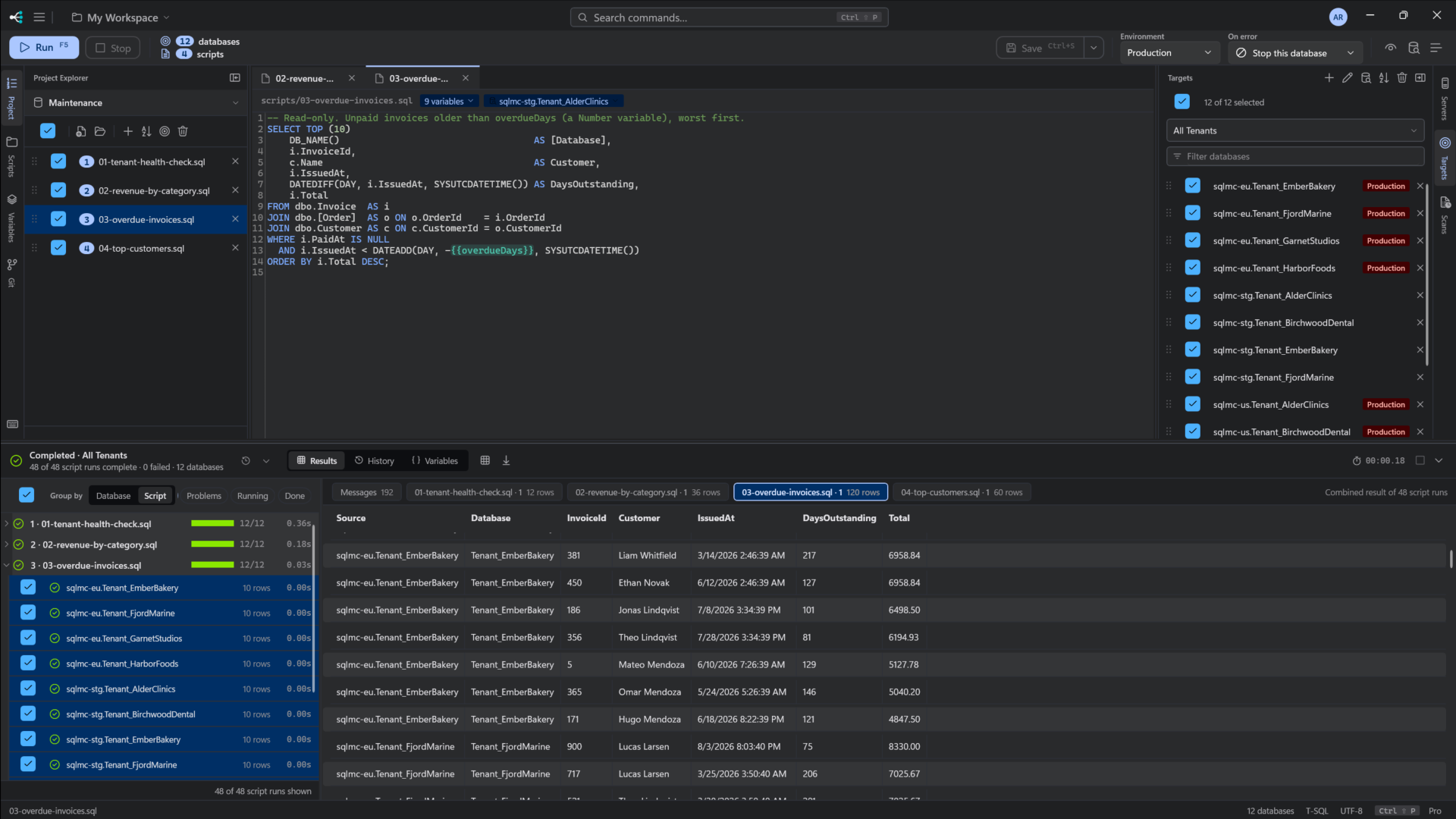
If a few databases returned a different shape, they are excluded and counted, so the grid never quietly mixes two things:
2 target(s) returned a different shape and were excluded.
Export
| Shortcut | Exports |
|---|---|
| Ctrl+E | The selected grid, to CSV, XML, JSON or Excel |
| Ctrl+Shift+E | Every result grid in the run, to one Excel workbook |
Export works on what is in the pane, so it is not limited to the history sample. See results export.