

sp_MSforeachdb skips databases: why, how to check, and what to use instead
sp_MSforeachdb is undocumented and can silently skip databases. How to tell whether it skipped any, a reliable replacement in plain T-SQL, and the options for running across servers.
Publicado el
sp_MSforeachdb is the procedure everyone learns for running a command in every database on an
instance:
EXEC sp_MSforeachdb N'USE [?]; SELECT DB_NAME() AS DatabaseName, COUNT(*) AS UserTables FROM sys.tables;';
It is short, it is everywhere, and it is not safe to rely on. This article explains why, gives you a check for whether it skipped anything, and a replacement you can paste in today.
What is wrong with it
- It is undocumented and unsupported. Microsoft ships it for its own use. It can change, and a support case about it will not get far.
- It can skip databases with no error. Aaron Bertrand documented this years ago: under load, or with many databases, it can silently skip databases. For a maintenance job, "it ran on most of them" is the worst kind of result, because it looks like success.
- Awkward database names break it.
?is replaced with the raw name. A database with a space, a bracket or a quote in its name needs[?]at the very least, and a name with a]in it breaks even that. - One result set per database. On an instance with sixty databases you get sixty grids, and the question "which ones returned something?" means scrolling.
- The command is a string inside a string. Every quote inside it has to be doubled, which makes anything longer than one line hard to read and easy to get wrong.
How to check whether it skipped any
Make it record every database it visits, then compare that with sys.databases:
CREATE TABLE #seen (name sysname);
EXEC sp_MSforeachdb N'INSERT #seen (name) VALUES (N''?'');';

SELECT d.name AS NotVisited
FROM sys.databases AS d
WHERE d.state_desc = N'ONLINE'
  AND NOT EXISTS (SELECT 1 FROM #seen AS s WHERE s.name = d.name);
An empty result means it visited every online database this time. It says nothing about next time, which is the problem with an intermittent fault.
A reliable replacement in plain T-SQL
Loop over sys.databases yourself. The trick that makes this clean is calling each database's own
sp_executesql: [SomeDb].sys.sp_executesql runs the command in that database's context, so there is
no USE and no database name pasted into the command text.
SET NOCOUNT ON;
DECLARE @command nvarchar(max) = N'SELECT DB_NAME() AS DatabaseName, COUNT(*) AS UserTables FROM sys.tables;';
DECLARE @db sysname, @proc nvarchar(400);

CREATE TABLE #results (DatabaseName sysname, UserTables int);

DECLARE dbs CURSOR LOCAL STATIC READ_ONLY FORWARD_ONLY FOR
    SELECT name
    FROM sys.databases
    WHERE database_id > 4              -- skip master, tempdb, model, msdb
      AND state_desc = N'ONLINE'
      AND is_read_only = 0;

OPEN dbs;
FETCH NEXT FROM dbs INTO @db;

WHILE @@FETCH_STATUS = 0
BEGIN
    -- [db].sys.sp_executesql runs the command in that database's context.
    SET @proc = QUOTENAME(@db) + N'.sys.sp_executesql';
    INSERT #results EXEC @proc @command;
    FETCH NEXT FROM dbs INTO @db;
END

CLOSE dbs;
DEALLOCATE dbs;

SELECT DatabaseName, UserTables FROM #results ORDER BY DatabaseName;
Why this is better:
STATICcopies the list of databases once, up front, so a database cannot drop out of the loop part way.QUOTENAMEhandles every legal database name, including ones with]in them.INSERT ... EXECcollects every database's answer into one table you can sort and filter.- The
WHEREclause is yours: exclude read-only databases, include only names that match a pattern, or skip anything that is notONLINE.
To keep going when one database fails, wrap the EXEC in TRY...CATCH and insert the error into a
second table instead.
Ready-made alternatives
If you would rather not maintain your own loop:
sp_ineachdbby Aaron Bertrand ships in the free SQL Server First Responder Kit. It runs a command in each database, handles awkward names, and has parameters for choosing which databases to include.- dbatools in PowerShell:
Get-DbaDatabase -SqlInstance sql01 -ExcludeSystem | Invoke-DbaQuery -Query '...'runs across every database and returns the rows as objects.
Both are good, free, and widely used. Both still stop at the edge of one script on a list of databases you assemble each time.
When it is more than one server
Every option above is about one instance. When the same change has to go to databases spread across several servers, possibly including Azure SQL Database, you are choosing between a PowerShell script you maintain and a tool built for it. The options are compared in How to run a SQL script against multiple databases in SQL Server.
SQL Multicast keeps the list for you as a named target group of databases, across as many servers as you register. Before anything runs it checks that every database in the group answers, so a database that is offline is reported up front rather than quietly missing from the results. Afterwards, every database has its own row with its own outcome, and the run is kept in history.
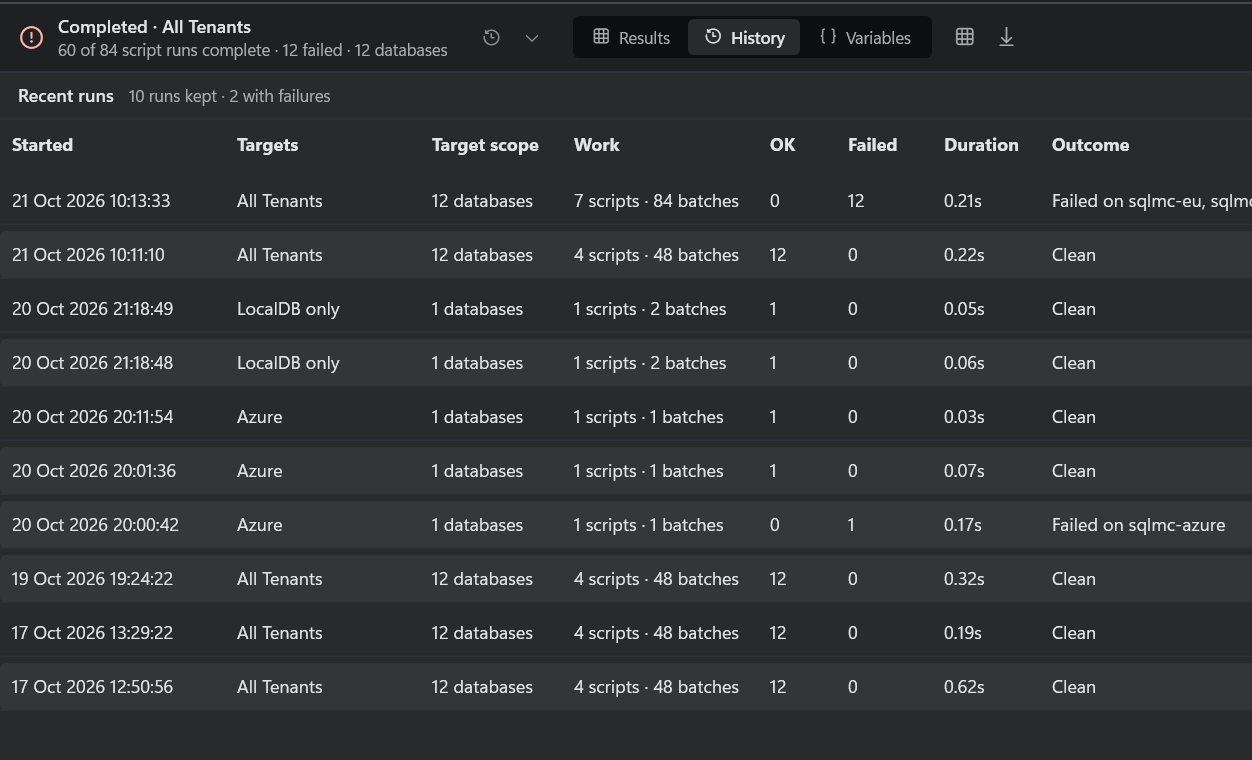
It is free for personal use. Download it and point it at the instance you were about to
run sp_MSforeachdb on.