

How to use one script for dev, test and production with variables and environments
Declare a variable once, give it a value per environment, and run the same script everywhere without editing it.
Publicado el
Copying a script and editing the schema or a threshold for each environment is how mistakes get into production. Variables let the script stay the same while the values change.
1. Use {{name}} in the script
SELECT COUNT(*) AS Orders
FROM {{schema|ident}}.OrderHeader
WHERE Total > {{threshold}}
  AND Region = {{region}};
2. Declare each variable once
Open the variable editor. Each variable gets a type and a value for each environment (Dev, Test, Prod).
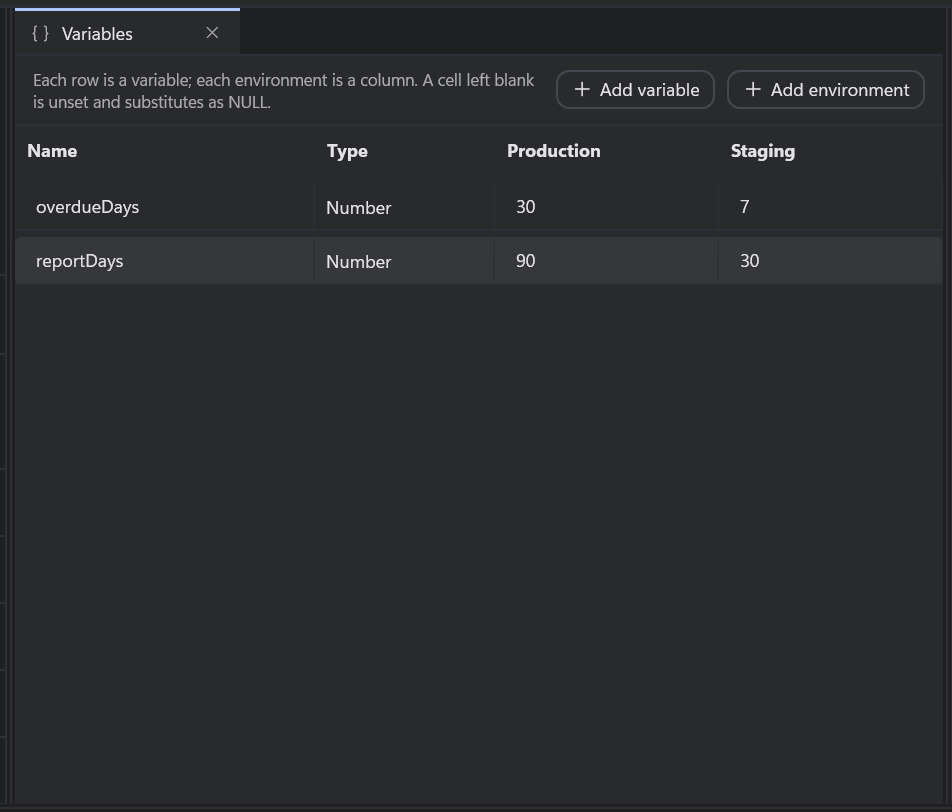
The type does the quoting, so nobody decides it at each use site:
| Type | Emits |
|---|---|
text |
An escaped string literal, so an apostrophe is safe |
identifier |
A quoted schema, table or database name |
number |
A validated number; a non-number fails before anything runs |
raw |
Verbatim SQL. Use sparingly |
3. Pick an environment and run
Select the environment in the command bar and press F5. Substitution happens once, before a single statement is sent, and every variable is checked for every target first.
Built-in variables
Some values come free, resolved per target: {{target.database}}, {{target.server}},
{{target.name}}, {{run.id}}, {{run.startedUtc}} and {{run.user}}. They are handy for stamping a
change with who ran it and when:
INSERT dbo.ChangeLog (Note, RunId, RunBy)
VALUES (N'Added LoyaltyTier', N'{{run.id}}', N'{{run.user}}');
The Variables tab in the results pane shows what everything resolved to. See the four types for the details, and preview the SQL to check it first.