

How to run one script on every database in a few minutes with SQL Multicast
Register two servers, build a target group, and run a script across all of its databases - a first run you can finish in fifteen minutes.
Publicado el
The job: run one script on a dozen databases across two servers, and see every answer in one place. No loop, no copy and paste. Here is the whole routine.
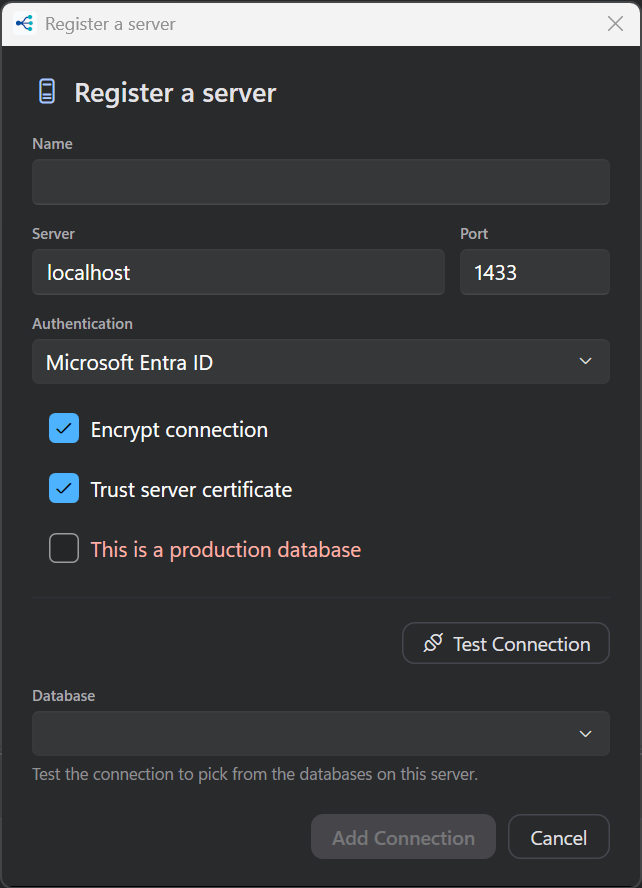
1. Register your servers
Add each server once. Press Test before saving: it opens the server and fills the database picker from what the server actually reports.
2. Build a target group
Run ▸ Target Groups… shows your registered servers on the left. Expand one and it lists its
databases. Click to add them, or use Add all databases (tick User databases only to skip
master and tempdb).
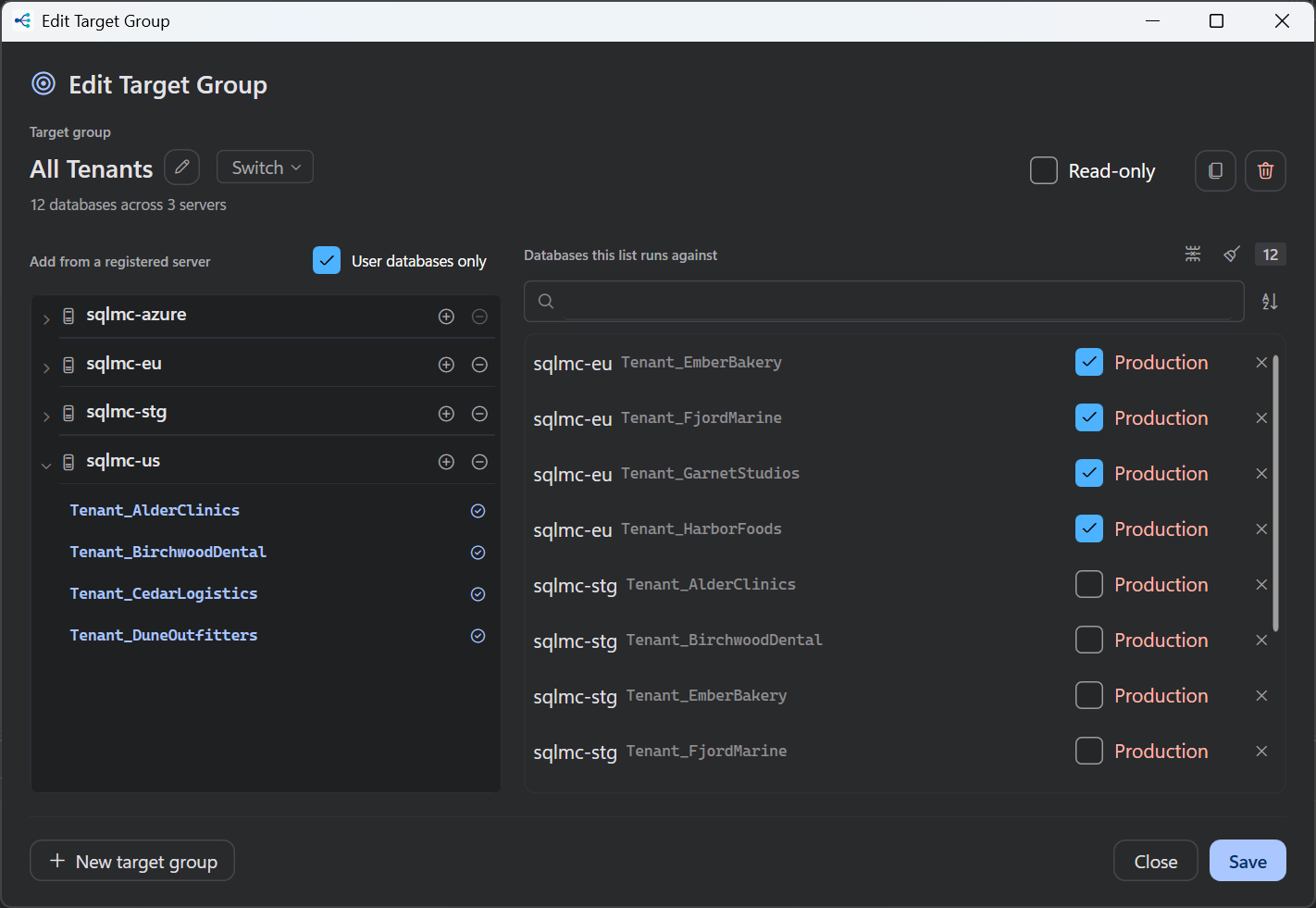
Name the group something you will recognize in six months: All Tenants, EU Prod.
3. Write the script
Create a project and put something harmless in the starter script:
SELECT DB_NAME() AS [Database], @@VERSION AS [Version];
4. Run it
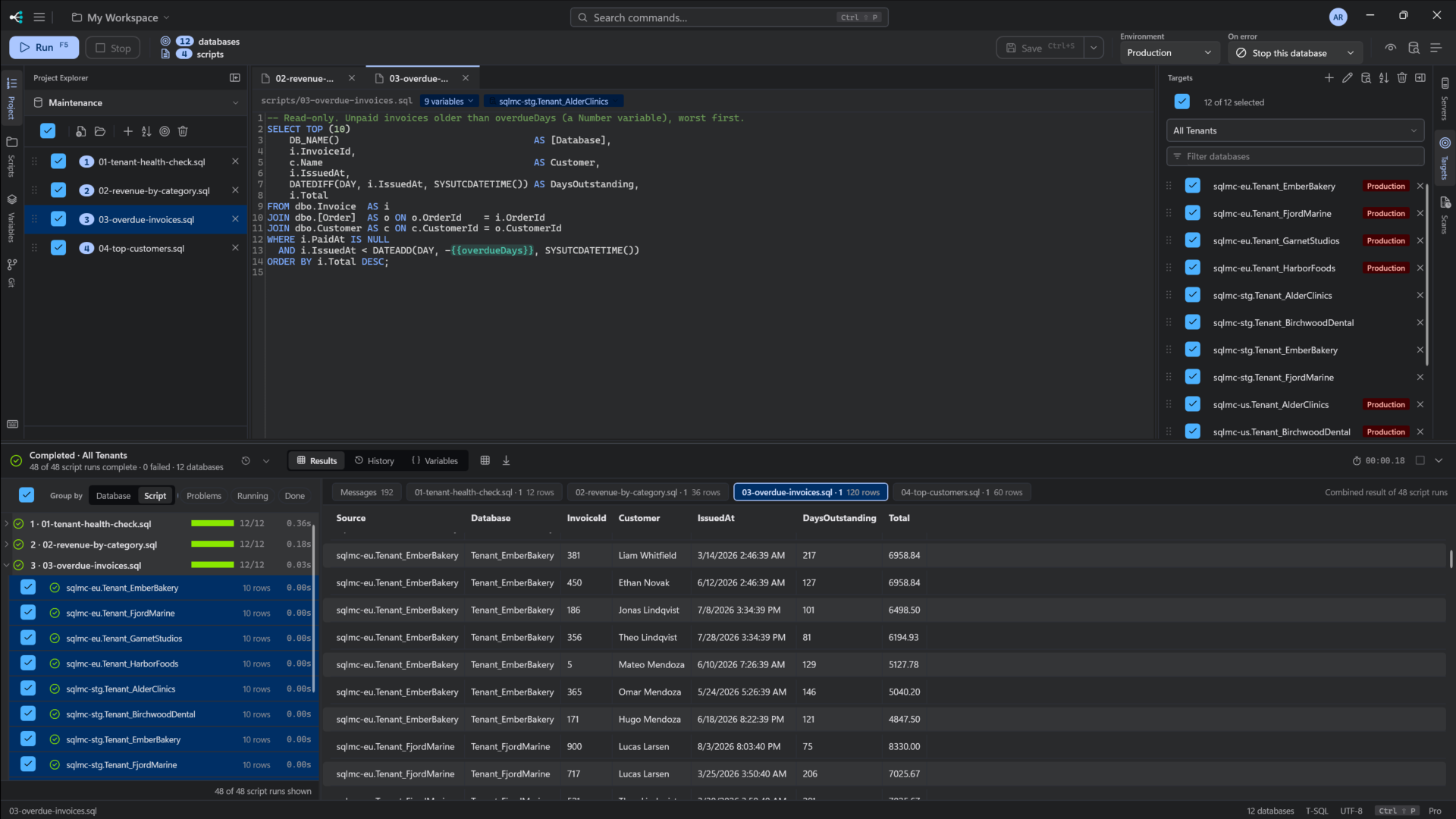
Pick the group in the command bar and press F5. Before a statement is sent, SQL Multicast parses the script and checks that every database answers. If some do not, it shows you which and lets you decide whether to run the rest.
Results are grouped by script, with one row per database.
That is the entire workflow. Everything else, such as previewing, variables and production protection, builds on these four steps. See the full walkthrough.